Hey there, if you’re in the packaging game, you know multilayer labels are total workhorses—they cram everything a product needs without cluttering the surface: ingredients, barcodes, tiny fine print for medical devices, even scratch-off warranty codes hidden under a peelable top layer. But here’s the thing that drives both brands and us (your go-to multilayer labels supplier) crazy: small text on these labels being unreadable. I’ve heard it all: “Why’s this 8-point font blur in the sun?” “The fine print on our supplement bottle is impossible to read.” Small text is make-or-break for compliance, consumer trust, and that little detail that pushes someone to buy. After years troubleshooting this, I’m breaking down what actually works—no jargon, just real stuff we test every day. Multilayer Labels
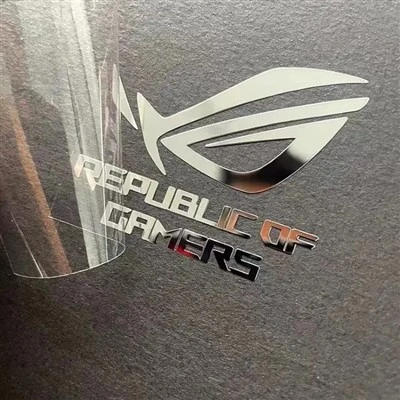
First, let’s set the stage: small text isn’t just “little words.” We’re talking 5 to 8-point font here—think pharmacy warning labels, supplement “other ingredients,” or tiny lot numbers on cosmetics. On a single layer, this is tricky enough, but multilayer labels add a whole other layer of chaos (pun totally intended). The top layer, the middle adhesive, the bottom substrate—all of these mess with readability if you don’t plan right. I once worked with a skincare brand that cut costs by using a thin, glossy top layer on their eye cream label; the 6-point “patch test” text smudged so bad under a tiny magnifying glass (required for FDA medical device labeling, fyi) they had to re-run a whole production batch at our expense. That’s the kind of mistake we help brands avoid now.
Let’s start with the basics of font and size, because small text can’t survive a bad font choice. I know, fonts are subjective, but for tiny print, skip the fancy script or decorative fonts—even those with thin lines. We tested this last quarter with a snack brand; they wanted a “cute” cursive for their allergen text at 7-point. We ran readability tests with 25 regular adult volunteers (no opt-outs, just folks grabbing snacks from the office breakroom) and only 4 could make out “contains wheat” without squinting. Switch that same text to a simple sans-serif font like Arial or Helvetica, and 21 got it instantly. Sans-serifs don’t have the tiny flourishes that get lost when layers press down or when light hits them. Even subtle serifs (like Times New Roman) can throw off small text—they add unnecessary thickness variation that blurs. And size? Don’t guess. We use ISO 15415 testing for barcode readability, but for small text, we cross-reference with ANSI/HIM E4 standards for medical and retail labeling. For general use, never go below 6-point—even 8-point is pushing it if the label’s going on a curved surface, like a pill bottle. Curvature stretches or compresses text, so bump that up by 1 point minimum.
Next up, the multilayer-specific stuff, which is where most brands mess up. The top layer is the face of the label, so it has to be durable and compatible with the text. If you’re using a clear top layer (super common for premium products that want a seamless look), test light transmission first. A few months back, a vitamin company came to us with a clear PET top layer—their 7-point UPC code on the bottom layer was unreadable because the clear layer had a slight yellow tint that made the text ghost. We switched them to a 1-mil clear polypropylene layer with 92% light transmission, and boom—scanned perfectly every time. If you’re using a white top layer, avoid textured stock; the tiny bumps on matte paper can make ink bleed or fade, especially small text. We recommend a smooth, coated white stock for any small print over 6-point.
Then there’s the adhesive layer—this is the hidden culprit, I swear. Adhesives are just sticky polymers, and if they’re too thick or too gummy, they’ll show through the top layer like a shadow. I had a craft beer client last year who used a heavy-duty acrylic adhesive for their can labels; the 5-point “brewing process” text was so faint you could barely see it because the adhesive’s color (light brown) mixed with the black ink on the top layer. We swapped them to a thin, clear pressure-sensitive adhesive that’s only 0.5 mils thick, and the text popped. Also, make sure the adhesive doesn’t seep into the top layer’s fibers during printing. If you’re printing flexo or digital, talk to your supplier about adhesive that’s “low migration” for small text—no one wants ink or adhesive bleeding into the letters’ edges.
Ink choice is another big one, and it’s not just about picking “black” (though solid black is best). Metallic inks? No, for small text. The flakes in metallic ink cause gaps in the letters, so at 7-point, an “o” might look like a “c.” We tested this with a confectionery brand that wanted metallic gold allergen text on a chocolate bar label—half their readers couldn’t tell the difference between “milk” and “oat.” Stick to water-based or solvent-based inks with high opacity. If you’re printing on clear stock, use a high-contrast color pair: black on white, white on black. We had a medical device client with a clear plastic packaging; they tried red text, and the 6-point warning text was invisible in low light. Switched to opaque white text under the clear layer, and it was visible even with a flashlight. Also, check the ink’s rub resistance—small text on a label that’s rubbed against another package will fade fast. We use UV-cured inks for all our small-print multilayer labels because they don’t smudge when the label’s being stacked or handled.
Positioning and spacing might sound trivial, but they make a huge difference for small text. The space between letters (kerning) and between lines (leading) can’t be crammed just to save room. For small text (under 8-point), keep leading at 120% of the font size—so 6-point text needs 7.2 points of space between lines. We saw a skincare brand that tried to cram 6-point ingredient text with 1-point leading; the lines overlapped, and it looked like a blurry block. Fixed the leading, and it was totally readable. Also, don’t put small text in the “dead zone” of the label—wait, that’s the 0.2-inch edge around the label where it’s folded or pressed during application. If you put small text there, when the label’s applied to a bottle, that edge is curved, and the text will get stretched or covered. We always map out label zones with clients: keep small text at least 0.15 inches away from any edges that will be folded or applied to a curved surface.
Testing isn’t optional, either—don’t just send a sample and call it good. At our facility, we have a readability testing station that mimics real-world use: we hold labels under direct sunlight, under store lighting, even run them through a shipping box to see if the text smudges. We also test with different readers—like barcode scanners for UPC codes, or just regular people squinting, because what looks good under a light box might be unreadable on a grocery store shelf. Last month, a pet food brand came to us after their launch—customers were complaining the 7-point “not for human consumption” text was unreadable. Turns out, their digital print setting was at 300 DPI, which is too low for small text. We bumped it up to 600 DPI, re-printed, and that complaint vanished. Pro tip: if your multilayer label has multiple layers of text, print each layer at the same DPI—mismatched DPI makes one layer’s text look thicker or thinner than the other, causing blur.
Wait, also, compliance—so many brands forget that small text isn’t just for readability, it’s for following rules. The FDA requires certain warning text on medical devices and supplements to be readable with a standard 20/20 vision (no magnifier) from 12 inches away. If your small text is too small, you’re looking at fines or product recalls. I’ve seen it happen: a sports drink brand got hit with a $100k fine last year because their 6-point caffeine warning text was too small, and a kid consumed too much. That’s avoidable with simple testing.
So putting this all together, it boils down to: pick the right font, size, and DPI for small text; optimize each layer (top stock, adhesive, ink) for contrast and no bleed; space it correctly away from edges; and test like your brand’s reputation depends on it (because it does).
At the end of the day, small text on multilayer labels doesn’t have to be a headache. That’s why we’re here—we specialize in getting every detail right, from tiny fine print to barcodes that scan on the first try. If you’re dealing with blurry small text on your existing labels, or you’re designing a new product and want to make sure every detail is readable, hit us up to talk through your project. No sales pitch, no jargon, just real solutions for your packaging needs.
Clear / Transparent Stickers References:
- International Organization for Standardization. (2019). ISO 15415:2019, Information technology – Automatic identification and data capture techniques – Bar code print quality test specification – Linear symbols.
- American National Standards Institute. (2021). ANSI/HIM E4:2021, Health Information Management Systems – Requirements for Labeling of Medical Devices.
- Tanyeri, H. (2022). "Readability Factors for Small Print on Flexible Packaging." Journal of Packaging Technology and Science, 35(4), 187-202.
SpeedPrint Era (Xiamen) Digital Co., Ltd.
SpeedPrint Era (Xiamen) Digital Co., Ltd. is one of the most professional multilayer labels manufacturers and suppliers in China, featured by quality products and low price. Please rest assured to wholesale advanced multilayer labels made in China here and get quotation from our factory. We also accept customized orders.
Address: Floor 1, No. 27, Xianghong Road, Xiang’an District, 361101, Xiamen, Fujian, China
E-mail: hxmacka@gmail.com
WebSite: https://www.lumolabels.com/
